Просмотр новости
Найдите то, что Вас интересует
 Спутники
 РН
РН SpaceX
 Роскосмос
 NASA
NASA
СпутникиРНSpaceXРоскосмосNASAWhen you delete a user in the WordPress admin, WordPress shows a dropdown to reassign that user’s content to another account. On small sites, this works fine. On a membership site with hundreds or thousands of members, it can grind to a halt. The dropdown tries to load every user in the database, and the page becomes slow or unresponsive. This code (more...)
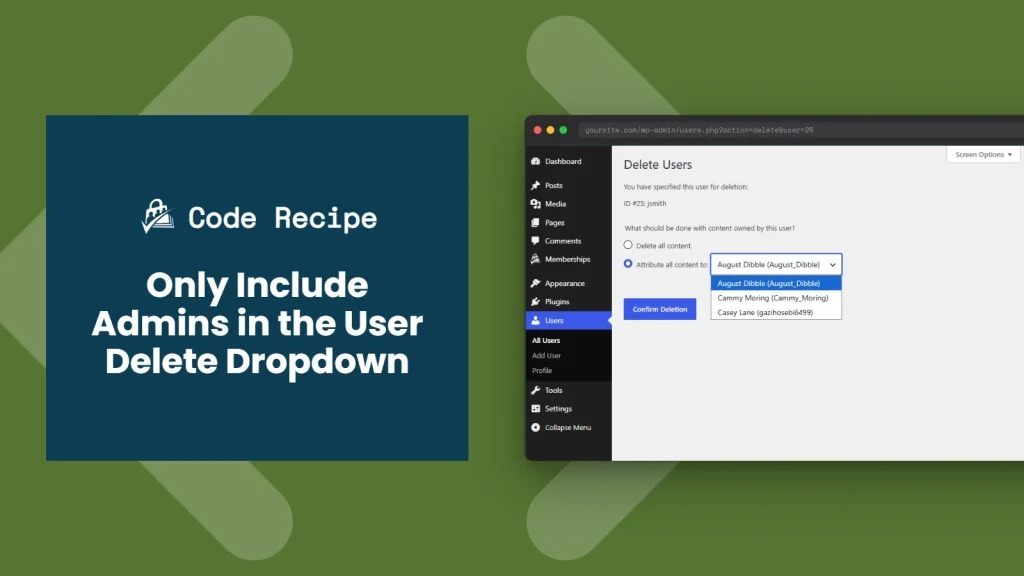
When you delete a user in the WordPress admin, WordPress shows a dropdown to reassign that user’s content to another account. On small sites, this works fine. On a membership site with hundreds or thousands of members, it can grind to a halt. The dropdown tries to load every user in the database, and the page becomes slow or unresponsive.
This code recipe limits that dropdown to administrators only. The page loads quickly, and content stays assigned to accounts that are meant to manage it.
This recipe is worth adding if:
If your user count is small and the dropdown loads without issue, you do not need this recipe. The default WordPress behavior works well at smaller scale.
About the Code RecipeThe recipe uses two WordPress hooks working together.
The first is load-users.php, which fires whenever the Users > All Users screen loads in the admin. Inside that callback, the code checks whether the current URL action is delete. We only want to modify the dropdown on the delete confirmation screen, not on every visit to the Users page.
If the action is delete, the code registers a filter on wp_dropdown_users_args. This filter intercepts the query that builds the user dropdown and sets the role parameter to administrator. WordPress then queries only administrator accounts when populating the list, instead of loading every user on the site.
The result is a focused dropdown that only shows admins. The deletion and content reassignment process itself is unchanged.
This code recipe does not alter or remove any content; it only adjusts the available options when reassigning a deleted user’s posts.
The Code Recipe Adding the Recipe to Your WebsiteYou can add this recipe to your site by creating a custom plugin or using the Code Snippets plugin available for free in the WordPress repository. Read this companion article for step-by-step directions on either method.
How to Customize This RecipeShow a different role in the dropdown: Replace administrator in the $query_args['role'] on line 20 with any WordPress role slug. For example, use editor to restrict the user dropdown to editors.
You can also use a custom role’s slug if your site uses a dedicated membership manager role. You can find what roles exist by looking at the role filter at the top of the Users > All Users page.

Author: PMPro Team
The editorial staff at Paid Memberships Pro is a team of WordPress membership site and online business experts led by Kim and Jason Coleman. Trusted by over 350,000 readers worldwide.
For more help with this PMPro feature, check out our Support Page with three ways to get support as a free or premium member.
Was this article helpful?
YesNo
| # | Наименование новости | Тональность | Информативность | Дата публикации |
|---|---|---|---|---|
| 1 | Troubleshooting Email Delivery on Your Membership Site | 0 | 7 | 30-06-2026 |
| 2 | Allow Member to Opt-Out of New Series Notification Emails | 0 | 7 | 03-07-2026 |
| 3 | Require User Fields on the Member Profile Edit Page | 0 | 5 | 30-06-2026 |
| 4 | Send new user ‘…would like to join…’ emails to specific admin users | 0 | 7.54 | 28-07-2026 |
| 5 | How to safely delete a WordPress site without losing data | 0 | 5.75 | 29-07-2026 |
| 6 | Reply To: remove admin email | 0 | 12.84 | 09-08-2026 |
| 7 | WordPress lentos, plugins no desinstalados | 0 | 7.77 | 31-05-2026 |
| 8 | Best Membership Plugin WordPress: Top Picks for 2024 | 0 | 5.15 | 09-08-2024 |
| 9 | Exclude Billing Fields for Specific Membership Levels at Checkout | 0 | 5 | 26-06-2026 |
| 10 | Looper not showing author? | 0 | 1 | 12-07-2026 |