Просмотр новости
Найдите то, что Вас интересует
 Спутники
 РН
РН SpaceX
 Роскосмос
 NASA
NASA
СпутникиРНSpaceXРоскосмосNASAA membership site owner posted a question in a WordPress community not long ago: they needed a secured, logged-in-only section for a heavy directory list, completely separate from the site’s admin and editor accounts. The public could never see it. Was Paid Memberships Pro, paired with a directory plugin, overkill for that? That question comes (more...)
A membership site owner posted a question in a WordPress community not long ago: they needed a secured, logged-in-only section for a heavy directory list, completely separate from the site’s admin and editor accounts. The public could never see it. Was Paid Memberships Pro, paired with a directory plugin, overkill for that?
That question comes up more often than you’d think, and not just from community sites and course creators. Manufacturers, distributors, and franchise networks build the exact same thing under a different name: a vendor portal or a gated catalog. The audience isn’t the public. It’s a defined list of vendors, dealers, or partners who already have a relationship with the business and need a private place to find information.
This guide walks through how to plan that kind of site: choosing between a fully locked-down portal and a mixed public/private site, deciding how vendors actually join, building the gated directory or catalog itself, and capturing the vendor-specific data that makes the whole thing useful. It closes with a direct answer to the original question.
A vendor portal isn’t a community membership site or a paid newsletter. The people logging in aren’t consumers buying a subscription. They’re companies, employees, dealers, or partners who already have a relationship with the business and need a private place to get information or place orders. A few common patterns:
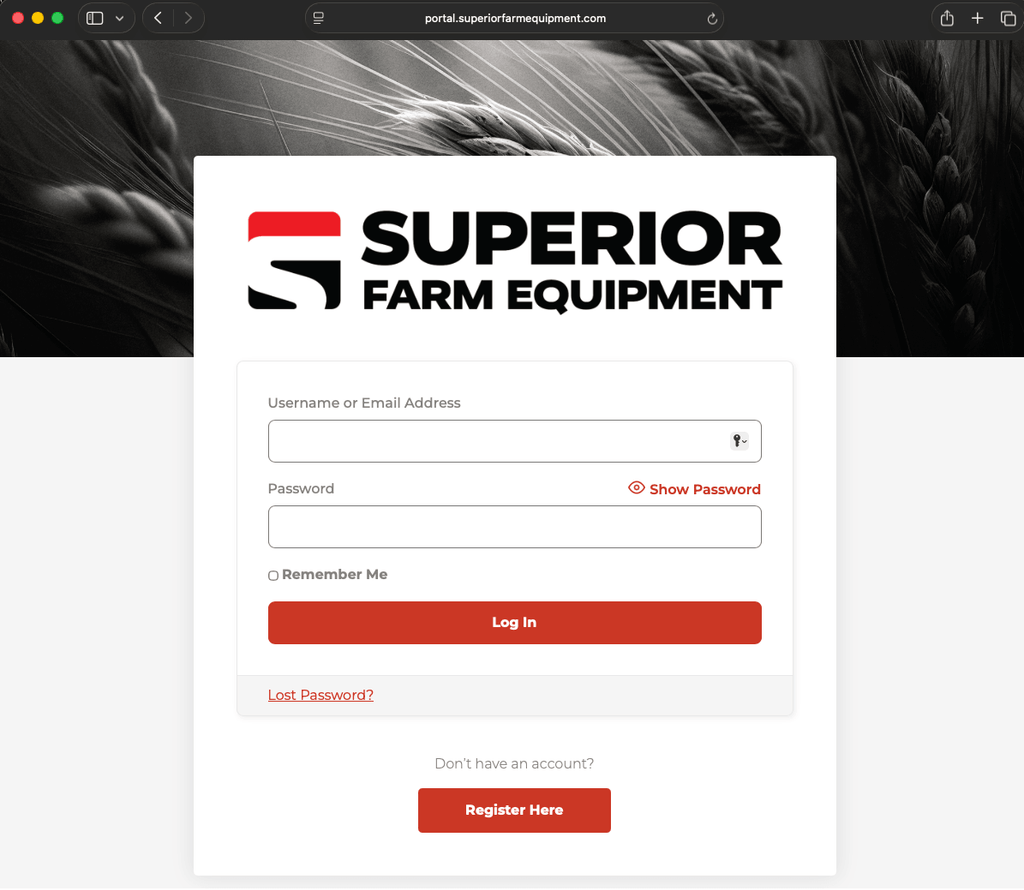
Superior Farm Equipment runs this exact setup. Their public marketing site handles the brand story, and the full equipment catalog, dealer pricing, and order forms live on a separate portal subdomain behind a login. Search engines never see any of it. Only approved vendors do.
The first real decision is whether the whole site sits behind a login, or whether a public site has private sections tucked inside it. Both are valid, and the right one depends on whether the portal replaces your marketing site or lives alongside it.
Option 1: A Fully Locked-Down PortalAlmost nothing here is public. There’s a homepage that explains what the portal is, a login form, and maybe a contact page. Everything else requires an active membership level. This fits when:
PMPro has a documented recipe to lock down everything but the homepage for non-users, and you can pair it with Redirect Members on Login to send vendors straight into the catalog the moment they sign in.
The trade-off is honest: a fully locked-down site brings in zero organic traffic. For most B2B vendor portals, that’s exactly the point.
Option 2: A Mixed Public and Private SiteMarketing pages, a blog, and general “About” content stay public. The catalog, directory, pricing, and any internal documents are restricted to logged-in vendors. This fits when:
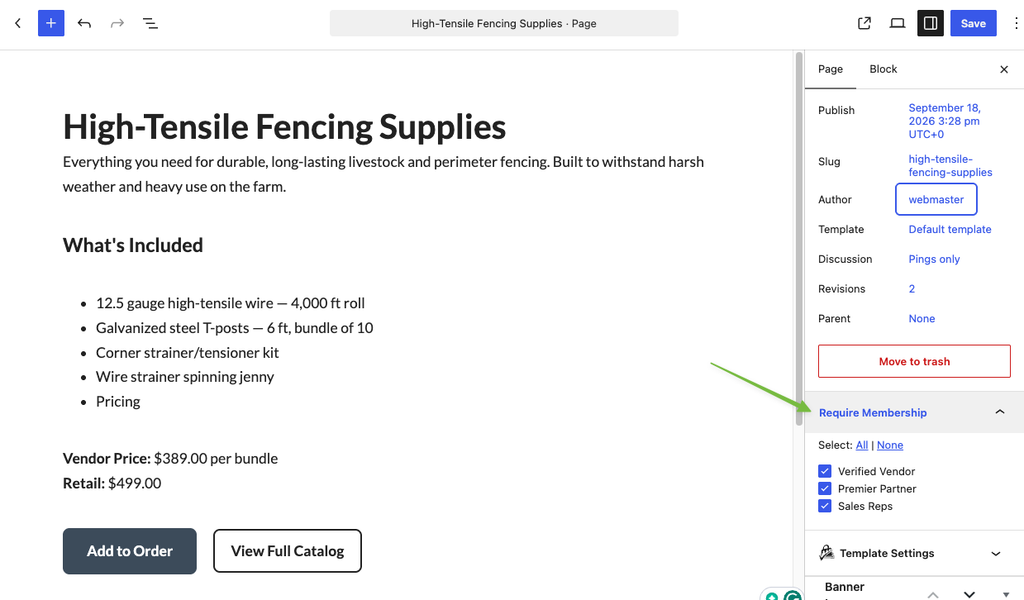
You can restrict as narrowly or broadly as you need. Our guide on how to restrict access to anything in WordPress covers the full set of options. Be deliberate about what’s public and what’s gated, and check every page in a logged-out browser before launch.
 How Vendors Join the Portal
How people join the portal is one of the biggest decisions you’ll make, because it sets the tone for everything after. A consumer membership site usually lets anyone sign up whenever they want. A vendor portal almost never does. You want to control who gets in, and ideally without manually onboarding every single person.
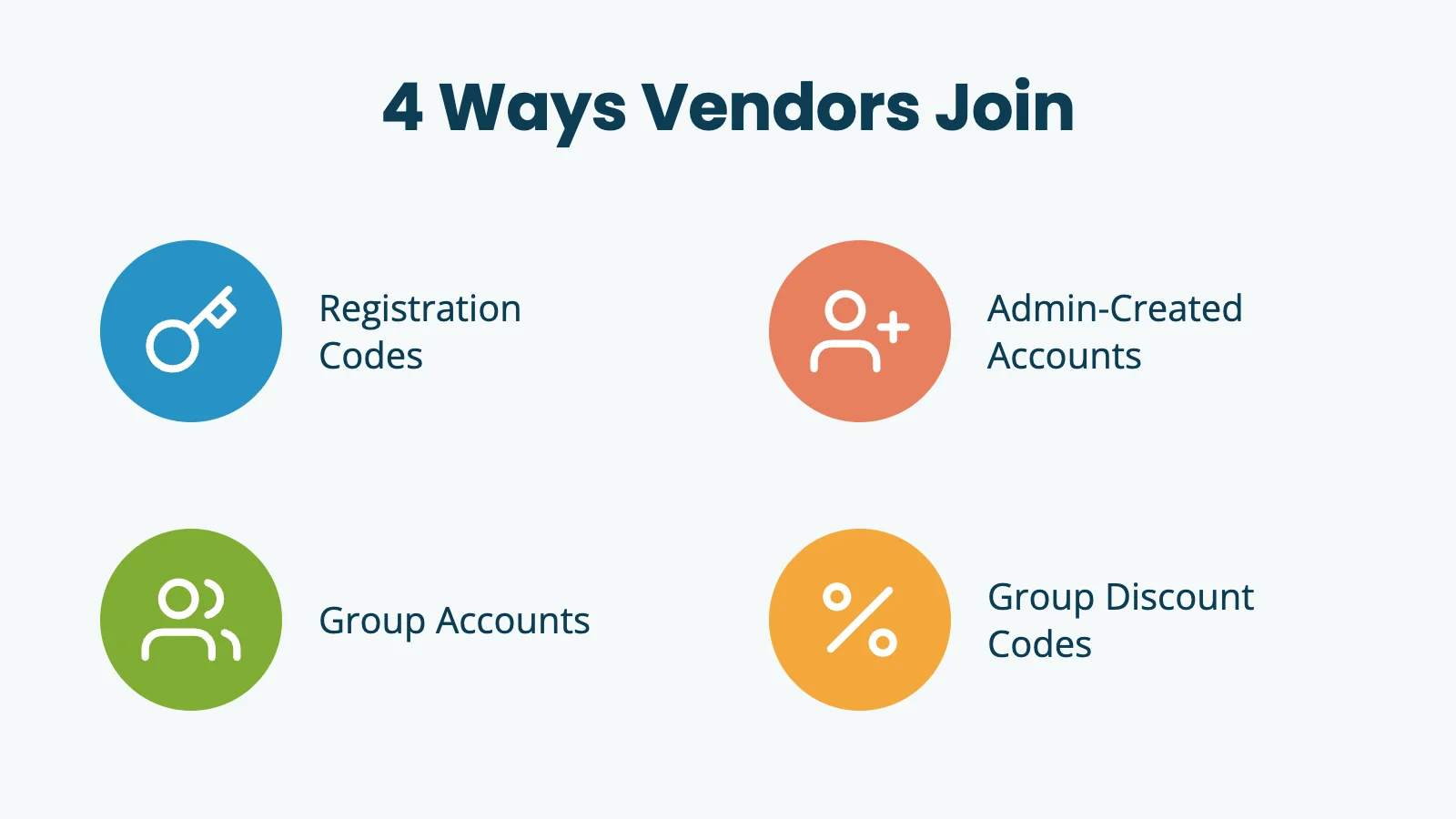
A few approaches, and most portals end up combining more than one:
If vendors fall into tiers, such as a “Dealer” tier and a “Distributor” tier, give each one its own membership level and restrict the matching section of the catalog to it. The same tools that make PMPro work as a paid membership platform also make it work as a B2B access control layer.
Build the Gated Directory or CatalogOnce the access decisions are made, the next question is how to actually display the catalog. Most vendor portals need a long, searchable, filterable list of things: products, vendors, dealers, locations, or downloadable files. This is where a custom post type and Posts Table Pro from Barn2 do most of the work.
The pattern:
[posts_table] shortcode on a members-only page, point it at the custom post type, and choose which columns show, which sort, and which are searchable.The result is a fast, sortable catalog on a normal WordPress page, protected two ways at once: the page itself is restricted to logged-in members, and the post type is restricted at the content level. Even a direct link to a single product or vendor post still hits the membership requirement.
Capture Vendor Details With User FieldsA B2B portal almost always needs more than a default WordPress signup collects. A company name, an account or dealer number, a territory, maybe a business type. PMPro’s built-in User Fields feature is built for exactly this. Add fields under Memberships > Settings > User Fields, decide where each one shows up (checkout, the profile edit page, or admin-only), and choose which membership levels it applies to.
A few patterns that work well for vendor portals:
Once that data lives on the user record, it’s available everywhere else on the site: in a member directory, in an exported report, synced to a CRM through Zapier, or pulled in as a custom column inside Posts Table Pro. The portal isn’t just gating content at that point. It’s a real user database you can build on.
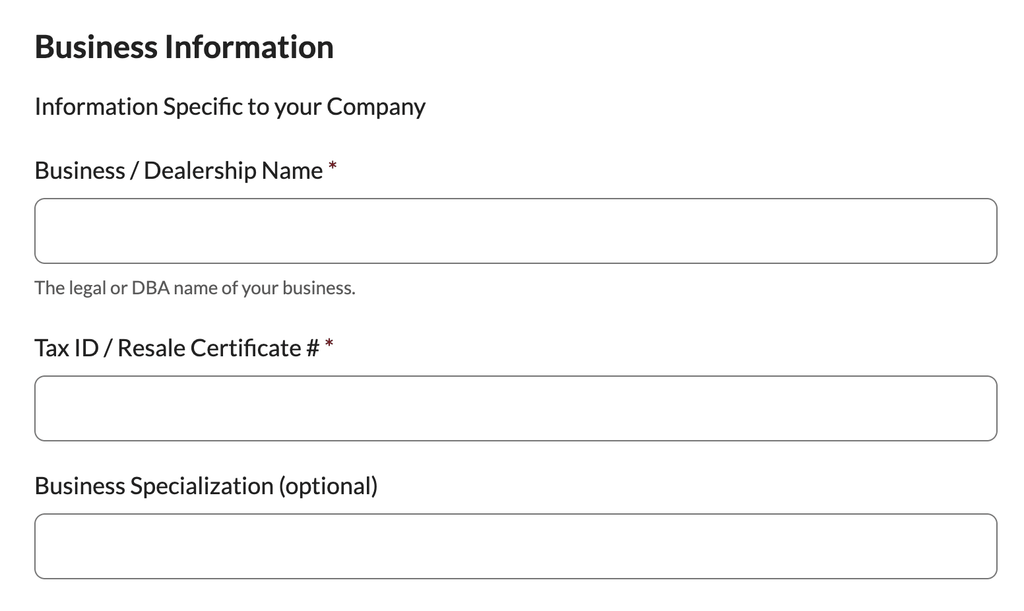 Customize your users’ checkout with custom information.
A common worry with B2B portals is account sharing: one company buys a single membership and passes the login around to twenty employees. A few guardrails handle most of that:
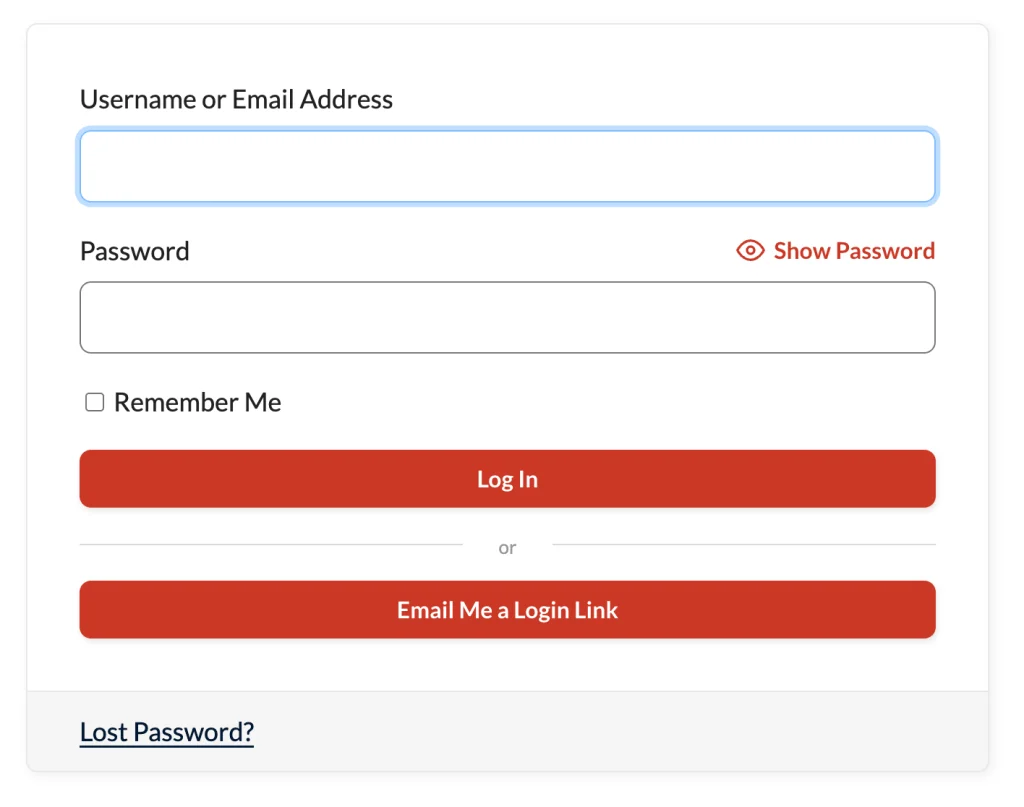 Example of a Magic Login linkIs This Overkill for a Vendor Portal?
It’s a fair question to ask before setting any of this up. Could a page builder’s conditional visibility hide a few pages and call it done?
For a single page, maybe. But a page builder’s visibility rules aren’t real user accounts, and that gap shows up fast the moment you need to:
PMPro gives you a permission system that’s been running production membership sites for over a decade, real user accounts instead of logged-in/logged-out conditions, and an Add On catalog built to extend the model as needs change. Posts Table Pro gives you a front-end display that’s good at large, filterable lists. Together, they cost less than most enterprise intranet products and leave you a clean place to add the next request instead of starting over.
Frequently Asked QuestionsWhat is a private vendor portal?
A logged-in-only section of a site where approved vendors, dealers, franchisees, or business partners can see information the public can’t. Catalogs, pricing, downloads, training materials, and directories are the most common use cases.
Do I need a separate site for the portal, or can it live inside my main site?
Either works. A separate subdomain is best for a fully gated experience with no public mixing. A single site with restricted sections is best when there’s a public marketing presence alongside the private portal.
How do approved vendors actually sign up?
The most common methods are invite codes through the Invite Only Membership Add On, admin-created accounts built into Paid Memberships Pro, Group Accounts for a corporate customer managing seats internally, and group discount codes for bulk onboarding. Most portals combine more than one.
How do I show a searchable list of products or vendors?
Create a custom post type for what you’re listing, restrict that post type with the Custom Post Type (CPT) Membership Access Add On, and display it with Posts Table Pro from Barn2 on a members-only page.
How do I stop vendors from sharing one login?
Use Limit Logins to cap concurrent sessions, or use Group Accounts so each person on a corporate account has their own real login. Magic Login adds another layer by tying access to a specific email inbox.
Author: PMPro Team
The editorial staff at Paid Memberships Pro is a team of WordPress membership site and online business experts led by Kim and Jason Coleman. Trusted by over 350,000 readers worldwide.
Free Download: The AI-Powered Membership Site Blueprint
Download the free guide: Learn how to plan, build, and grow a membership site using AI as your strategic partner: from buyer persona to launch and beyond.
Was this article helpful?
YesNo
| # | Наименование новости | Тональность | Информативность | Дата публикации |
|---|---|---|---|---|
| 1 | How to Start an Online Magazine with WordPress and Paid Memberships Pro | 0 | 8.05 | 11-09-2026 |
| 2 | Give Every Customer Who Uses an Affiliate Link an Automatic Discount | 0 | 8.39 | 10-09-2026 |
| 3 | Secure Your Member Map With a Private Geocoding API Key | 0 | 6.33 | 17-09-2026 |
| 4 | Offer Members a Discounted Rate for Upgrading to a Higher Level | 0 | 6.53 | 16-09-2026 |
| 5 | Require User Fields on the Member Profile Edit Page | 0 | 5 | 30-06-2026 |
| 6 | Scaling for High Traffic Websites: How to Improve WordPress Site Performance | 0 | 9.22 | 21-09-2026 |
| 7 | Troubleshooting Email Delivery on Your Membership Site | 0 | 7 | 30-06-2026 |
| 8 | Import User Meta Fields Stored as an Array via CSV | 0 | 11.81 | 15-09-2026 |
| 9 | Adding a Widerruf or Kündigung Button to a Paid Memberships Pro Site | 0 | 5 | 23-06-2026 |
| 10 | Payments Processing Solutions for All Business: A Complete PayPal Business Guide | 0 | 16.04 | 09-08-2026 |
